The problem with video recipes
Reading a recipe is often easier than following one inside a video. You can scan the ingredients, check a step without scrubbing through a timeline, and keep the instructions open while cooking.
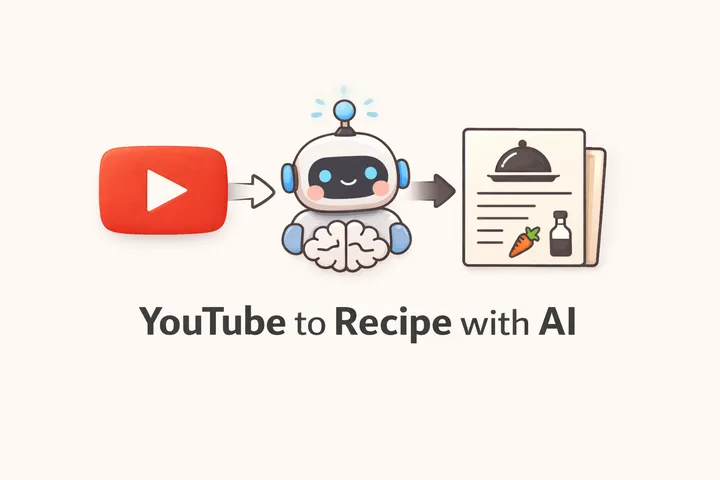
I built a command-line prototype to turn cooking-video audio into a structured draft recipe. The interesting part was not simply calling a model. It was connecting media download, audio extraction, transcription, structured generation, caching, and local developer tooling into one workflow.
The pipeline
The current project follows four main steps:
- Resolve a remote URL or an existing local file.
- Use yt-dlp and ffmpeg when media needs to be downloaded or converted to audio.
- Transcribe the audio with Deepgram.
- Ask the OpenAI API to transform the transcript into a draft recipe.
The default transcription model is Deepgram nova-2, and the default recipe model is OpenAI gpt-5-nano. The current CLI defaults to Spanish recipe output and Spanish transcription, with options to select other languages or a different OpenAI model.
This produces a useful starting point, not an authoritative recipe. A transcript can omit quantities, confuse ingredient names, or miss a technique shown visually instead of spoken aloud. Generated output should be checked against the original video before anyone cooks from it.
Current commands
The repository builds an executable named v2r, but it is not currently published as an npm package. After cloning and successfully installing and building the project, you can run the compiled entry point directly:
# Complete workflow: URL or local file to draft recipe
node dist/cli/index.js generate <url-or-path>

# Run individual stages
node dist/cli/index.js download <url>
node dist/cli/index.js transcribe <local-media-path>
node dist/cli/index.js recipe <transcript-path>

# Inspect or remove cached generate results
node dist/cli/index.js cache ls
node dist/cli/index.js cache get <url-or-path>
node dist/cli/index.js cache rm <url-or-path>
node dist/cli/index.js cache clear
The generate command accepts HTTP(S) URLs and local files. Remote URLs are passed to yt-dlp, so the implementation is not technically restricted to YouTube; support depends on what yt-dlp can access at that moment. YouTube and TikTok URLs receive platform-specific cache identifiers, while other URLs and local files use deterministic identifiers.
The standalone commands are useful when you already have an intermediate artifact. For example, you can transcribe a local audio file once and experiment with recipe prompts without downloading the source again.
Configuration
The CLI loads environment variables from .env:
OPENAI_API_KEY=your-openai-key
DEEPGRAM_API_KEY=your-deepgram-key

# Optional: cookies supplied to yt-dlp for sources that require them
YOUTUBE_COOKIES_PATH=/absolute/path/to/cookies.txt
The documented local requirements are Node.js 20 or newer, ffmpeg, and the dependencies needed by the yt-dlp wrapper. The current dependency tree also invokes Python while installing that wrapper.
Project status note: I audited the repository at commit a78ad7c. At that revision, a clean npm install can fail inside the youtube-dl-exec postinstall dependency because debug is missing from its installed tree. The project remains a useful record of the architecture, but the setup path needs dependency maintenance before I would describe it as a polished install-and-run tool.
Caching and API usage
The complete generate workflow stores transcripts and recipes in SQLite by default. On macOS and Linux, the default file is:
~/.cache/v2r/recipes.sqliteA cache hit can return the saved transcript and recipe before another download or API call, which is useful while testing the same source repeatedly.
There is an important limitation: the cache identity is based on the source, not the selected language, transcription model, recipe model, or prompt version. If you change those options for the same source, use --no-cache or remove that source’s cached entry first. Otherwise, the command may return the older result.
Caching applies to generate; the separate download, transcribe, and recipe commands do not use the recipe cache.
Why I chose a CLI
A CLI kept the first version small and let users keep their media processing, API keys, transcripts, and generated files on their own machine.
It also avoids making a remote service responsible for downloading third-party video. YouTube and other platforms may restrict anonymous traffic from datacenter IPs, and individual IPs can encounter bot or rate-limit checks. Running locally can avoid some datacenter-specific restrictions, but it does not guarantee access: cookies, tokens, a different IP, or a supported public source may still be required.
The CLI also exposes each pipeline stage separately, which made debugging easier. When a recipe looked wrong, I could determine whether the problem began in media extraction, transcription, or the generation prompt instead of treating the workflow as one opaque AI call.
What can go wrong
A media-to-recipe pipeline inherits uncertainty from every stage:
- Source access: Private, age-restricted, region-restricted, or bot-protected URLs may not download.
- Media quality: Background music, overlapping speakers, or poor audio can damage the transcript.
- Visual-only information: An ingredient or quantity shown on screen but never spoken may be absent.
- Transcription errors: Brand names, measurements, and cooking terms can be misheard.
- Generation errors: The model can infer unsupported quantities, reorder steps incorrectly, or produce a confident but incomplete result.
- API cost and availability: Deepgram and OpenAI calls consume paid API resources and can fail independently.
- Cache staleness: Changing model or language options does not automatically invalidate an existing source cache entry.
For those reasons, the output is best treated as an editable draft accompanied by the source video—not as a substitute for checking the original instructions.
Lessons from the prototype
The first version took about an hour because each service made the happy path straightforward. The maintenance work lives outside that happy path: dependency installation, platform access changes, cache invalidation, model defaults, error reporting, and communicating what the generated result cannot guarantee.
That is the part I find most useful about the project. AI can make a small workflow feel magical quickly, but turning that workflow into dependable software requires explicit boundaries around inputs, intermediate data, external services, and failure modes.
The source is available in the video-to-recipe-ai repository. For related tooling, see the Deepgram speech-to-text documentation and the yt-dlp project.
Frequently asked questions
Can this tool extract a recipe from every YouTube video?
No. The source must be accessible to yt-dlp and contain clear spoken instructions. Private, restricted, silent, visually demonstrated, or poorly transcribed content may fail or produce an incomplete recipe that needs human review.
Does this tool work with local video or audio files?
Yes. The generate command accepts an existing local file. Known audio formats go directly to transcription, while other local media is passed through ffmpeg to extract audio.
What technologies does this project use?
The CLI is built with TypeScript and Node.js, uses yt-dlp and ffmpeg for media processing, Deepgram for transcription, OpenAI's API for recipe generation, and SQLite for the generate command's cache.